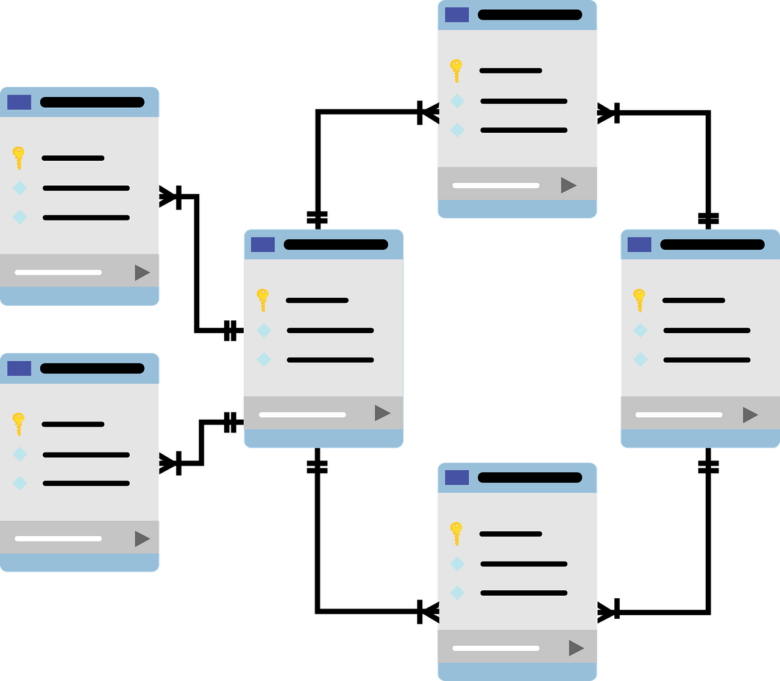
Optimizing database read replicas for a global application requires more than creating database copies in several regions. A replica can reduce pressure on the primary database, move read processing closer to users, and isolate reporting workloads, but it can also introduce stale data, inconsistent user experiences, higher infrastructure costs, and complicated failure behavior.
The main design question is not simply, “Which replica is closest?” It is:
How fresh must this specific read be, and what should the application do when no replica can meet that requirement?
A product catalog, public article, analytics chart, account balance, authorization decision, and inventory reservation should not all use the same routing policy. Each workload needs a defined consistency requirement, acceptable replication delay, fallback behavior, and monitoring strategy.
This guide explains how to classify read traffic, design a replica topology, implement lag-aware routing, protect read-after-write experiences, monitor user-visible freshness, tune queries, control costs, and prepare safe failover procedures.
Last reviewed: July 16, 2026. Database engines and managed-cloud services change over time. Confirm current replication, failover, backup, and networking behavior before applying these recommendations to production.
What a Read Replica Actually Provides
A read replica receives changes from a primary database and makes those changes available to read-only queries. The primary remains responsible for writes such as creating an order, updating a profile, changing inventory, or recording a financial transaction.
Replicas are commonly used to:
- Reduce read pressure on the primary database.
- Serve users from a geographically closer region.
- Separate customer-facing queries from reporting workloads.
- Provide additional capacity for read-heavy applications.
- Support a disaster-recovery design when promotion is available.
In many systems, replication is asynchronous. A successful commit on the primary may not be visible on every replica immediately. The replicas become consistent with the primary after the relevant replication records arrive and are applied.
Read Replicas, High Availability, and Backups Are Different
These three capabilities are related, but they solve different problems.
| Capability | Primary Purpose | Important Limitation |
|---|---|---|
| Read replica | Scale and distribute read workloads | May be behind the primary and may require a separate promotion process |
| High availability | Restore service quickly after an instance or zone failure | Does not necessarily provide regional read scaling |
| Backup and point-in-time recovery | Recover from deletion, corruption, application mistakes, or historical incidents | Restoration may take time and does not normally serve live queries |
A replica is not a substitute for backups. An accidental deletion, damaging update, or application error may be replicated to every database copy.
A promotable replica is also not automatically an operational failover solution. The application may still need new endpoints, DNS changes, permission updates, connection-pool resets, data validation, and controlled recovery of writes.
Step 1: Classify Every Read by Freshness Requirement
Do not route reads based only on whether a SQL statement begins with SELECT. A read can influence a sensitive decision even when it does not modify data directly.
Classify application reads into clear consistency groups.
| Consistency Class | Examples | Recommended Route |
|---|---|---|
| Fresh or decision-critical | Authorization, payment status, inventory reservation, password changes, account suspension | Primary database or a system with an explicit strong-consistency guarantee |
| Read-your-writes | Profile immediately after editing, newly created order, recently uploaded document | Primary until the relevant replica has applied the write |
| Bounded staleness | Product catalog, activity feed, recommendations, noncritical dashboards | Nearest healthy replica only while lag remains below the workload limit |
| Stale-tolerant or analytical | Historical reports, offline analysis, exports, trend calculations | Dedicated reporting replica or analytical database |
Define a Staleness Budget
A staleness budget is the maximum delay a particular workload can accept.
Do not create one universal lag threshold for the entire application. A marketing dashboard may tolerate more delay than a customer order page, while an authorization check may tolerate none.
Document the policy using business language:
- What could happen if this read is behind?
- How long can the delay remain invisible to users?
- Should the request fall back to the primary?
- Should the page display cached information?
- Should the feature become temporarily unavailable?
Step 2: Design a Simple Replica Topology
More replicas do not automatically create better performance. Each replica adds infrastructure cost, replication traffic, connection management, monitoring, patching, and incident-response responsibilities.
A practical initial topology may contain:
- One writable primary region.
- One regional replica near a significant user population.
- One dedicated reporting replica when analytical queries are heavy.
- Separate writer and reader connection endpoints.
- Explicit fallback behavior for every read class.
Writes + Fresh Reads
Regional Reads
Regional Reads
BI and Exports
Choose Regions from Measurements
Place replicas near real users and application services, not simply in regions that appear geographically convenient.
Measure:
- Application-to-database network latency.
- User-facing endpoint latency before and after routing changes.
- Replication delay during normal and peak traffic.
- Cross-region data-transfer costs.
- Data-residency and regulatory requirements.
- Operational coverage for incidents in each region.
Step 3: Separate Writer and Reader Connections
The application should have an explicit database access layer instead of allowing each feature to select an arbitrary connection string.
Use separate connection pools for:
- The primary writer endpoint.
- Regional read replicas.
- Reporting or batch workloads.
This structure helps prevent writes from being sent to a read-only endpoint and makes routing decisions observable.
Use database roles with least privilege. A connection intended for replica reads should not have unnecessary write or administrative permissions.
Do Not Hide Routing Inside Random Queries
This pattern becomes difficult to debug:
const db = Math.random() > 0.5
  ? primaryConnection
  : replicaConnection;
Routing should be based on workload policy, recent writes, replica health, region, and acceptable lag.
Step 4: Implement Lag-Aware Query Routing
A replica should be eligible for traffic only when it is reachable, accepting queries, correctly replicating, and fresh enough for the requested workload.
The following pseudocode illustrates the decision:
function chooseReadTarget(policy, session, replicas) {
  if (policy.requiresFreshData) {
    return primary;
  }

  if (session.hasUnconfirmedWrite) {
    return primary;
  }

  const eligibleReplicas = replicas.filter(replica =>
    replica.isReachable &&
    replica.replicationIsActive &&
    replica.applyLagMs <= policy.maximumLagMs
  );

  const nearest = selectLowestLatencyReplica(eligibleReplicas);

  return nearest ?? policy.safeFallback;
}
The exact metrics and routing APIs vary by provider. The important principle is that geographic proximity alone is not enough.
Choose the Fallback Carefully
Automatically sending every failed replica request to the primary can create a secondary outage. If several replicas become unavailable at once, the sudden read load may overwhelm the writer.
Possible fallback actions include:
- Use the primary for critical requests only.
- Serve a safe cached response.
- Reduce nonessential page content.
- Temporarily disable reporting and export jobs.
- Return a controlled retry response for noncritical features.
- Route to another healthy replica with acceptable freshness.
Reserve enough primary capacity for expected fallback traffic, but do not assume it can absorb every global read workload indefinitely.
Step 5: Protect Read-After-Write Experiences
A common replica problem occurs when a user updates information successfully and immediately sees the old value.
For example:
- The user changes a delivery address.
- The write commits on the primary.
- The frontend reloads the profile from a replica.
- The replica has not applied the change yet.
- The old address appears again.
This does not necessarily mean the write failed. It may be a read-your-writes consistency problem.
Option 1: Temporary Primary Affinity
After a successful write, route that user or resource to the primary until a configurable freshness period expires.
The period should be based on observed replication behavior rather than an arbitrary permanent value.
Option 2: Replication Position or Version Marker
The write response can include a commit marker, version number, timestamp, log-sequence position, or transaction identifier.
The application uses a replica only after it confirms that the replica has applied at least that position. The exact mechanism depends on the database engine and provider.
Option 3: Return the Updated Resource
When appropriate, the write response can contain the confirmed new representation so the frontend does not immediately perform another database read.
This improves the immediate user experience but does not replace consistency rules for later requests.
Option 4: Pin a Workflow to the Primary
Keep an entire sensitive workflow on the primary. Checkout, password recovery, permission management, and financial operations often require this approach.
Worked Example: Global Commerce Application
Consider a fictional commerce platform with:
- A primary database in North America.
- Read replicas in Europe and Asia-Pacific.
- A separate reporting replica.
- Product browsing, customer accounts, orders, payments, and inventory.
A safe routing policy could look like this:
| Request | Target | Reason |
|---|---|---|
| Browse product descriptions | Nearest healthy regional replica | A small, bounded delay is acceptable |
| Display approximate stock | Replica or cache with an explicit freshness rule | Informational display is different from reserving inventory |
| Reserve inventory | Primary | The decision must use current transactional state |
| View a newly created order | Primary until the replica catches up | Protects the read-your-writes experience |
| Validate account permissions | Primary or another strongly consistent authorization store | Stale permission data can create a security issue |
| Generate monthly sales report | Dedicated reporting replica | Heavy analytical queries should not compete with customer traffic |
This design distinguishes between displaying information and making an irreversible business decision. That difference is more important than whether both operations use a SELECT query.
Step 6: Measure User-Visible Freshness
Provider lag metrics are important, but they may represent different stages of the replication pipeline.
Depending on the database and service, a metric may represent:
- Network transport delay.
- Bytes waiting to be received.
- Logs received but not written.
- Logs written but not replayed.
- Time since the most recently replayed transaction.
- An approximation rather than exact application-visible staleness.
Monitor the metric that most closely represents when a committed change becomes visible to a new query on the replica.
Use an Application Freshness Probe
An application-level probe can periodically:
- Write a unique marker and primary timestamp.
- Query the marker from each replica.
- Measure when each replica first returns it.
- Record the delay by region and replica.
Run this through the same networking and database access layer used by the application. This helps reveal user-visible delay that infrastructure-only metrics may miss.
Metrics That Matter
| Metric | What It Reveals | Possible Response |
|---|---|---|
| Apply or replay lag | How far the replica is behind visible committed state | Remove the replica from freshness-sensitive routing |
| Replication backlog in bytes | How much log data remains to be transferred or applied | Investigate network, storage, write bursts, and replica capacity |
| Query latency by replica | Whether regional reads are actually faster | Tune queries, resize the replica, or change routing |
| Connection saturation | Whether services are exhausting replica connection capacity | Use pooling and define limits per application |
| CPU, storage I/O, and memory | Whether read processing competes with replication replay | Optimize workload or increase capacity |
| Replication state and errors | Whether replication is active, catching up, disconnected, or broken | Stop routing and follow the recovery runbook |
| Stale-read incidents | Actual user-visible consistency failures | Reclassify the workload or tighten the freshness budget |
Step 7: Tune Replica Queries and Indexes
A replica does not make an inefficient query inexpensive. It only moves that work away from the primary.
Heavy reads may consume the same CPU, memory, and storage resources that the replica needs to receive and apply changes.
Review:
- Slow-query logs and execution plans.
- Indexes used by regional and reporting workloads.
- Large joins and table scans.
- Unbounded result sets.
- Offset pagination on large tables.
- Repeated queries with only minor parameter differences.
- Queries returning unnecessary columns.
- Long transactions that keep snapshots open.
Long Queries Can Interfere with Replication
Some database engines must resolve conflicts between standby queries and replication replay. Depending on the configuration, a long query may be cancelled, or replay may be delayed while the query continues.
This is another reason to isolate business intelligence and large exports from replicas serving interactive users.
Size Replicas for Their Workload
A replica does not always need to match the primary exactly, but it must be capable of both applying the write stream and serving its assigned reads.
An undersized replica may continually fall behind during traffic peaks even though its average utilization appears acceptable.
Step 8: Use Caching with Explicit Freshness Rules
Caching and read replicas solve different problems:
- A replica provides database-level read capacity and regional placement.
- A cache prevents repeated database queries for reusable data.
Good cache candidates may include:
- Public content.
- Category and navigation data.
- Feature configuration that changes infrequently.
- Anonymous product listings.
- Precomputed summaries.
Align cache expiration with the workload’s freshness budget. A replica with a five-second target is not useful if a downstream cache continues returning data for several minutes without intentional design.
Do not cache sensitive per-user data without appropriate isolation, authorization, encryption, and invalidation controls.
Step 9: Plan Safe Schema and Application Deployments
Global replicas can make deployment timing more important. A schema change may reach different locations at slightly different times, while old and new application versions may run simultaneously.
Prefer backward-compatible changes:
- Add new fields or structures without immediately removing old ones.
- Deploy application code that can work with both versions.
- Backfill data in controlled batches.
- Confirm that replicas have applied the changes.
- Move reads and writes to the new structure.
- Remove obsolete fields only after the transition is complete.
Large migrations and bulk updates can generate significant replication traffic. Monitor lag, storage, and application latency throughout the operation.
Step 10: Create a Replica Failure Runbook
The team should know what to do before an alert occurs.
The runbook should define actions for:
- Lag exceeding a workload threshold.
- A replica becoming unreachable.
- Replication entering a broken or disconnected state.
- Regional network degradation.
- The primary becoming overloaded after fallback.
- A reporting workload causing excessive lag.
- A planned promotion.
- An emergency regional failover.
Illustrative Lag Response
| Condition | Routing Action | Operational Action |
|---|---|---|
| Lag within policy | Continue normal routing | Monitor trends and capacity |
| Lag exceeds one workload budget | Remove only that workload from the replica | Inspect writes, queries, storage, and network |
| Lag continues growing | Reduce nonessential replica traffic | Pause reporting, resize, or rebuild according to provider guidance |
| Replication stops | Remove the replica from all routing | Investigate or recreate it through the approved procedure |
Promotion and Regional Failover
Before promoting a replica, determine:
- How far behind it is.
- Whether outstanding changes could be lost.
- Whether replication should be allowed to catch up first.
- How applications will discover the new writer.
- Which connection pools must be restarted.
- How duplicate or conflicting writes will be prevented.
- How the former primary will be handled if it returns.
- How the system will eventually fail back.
Planned Switchover
A planned switchover normally allows time to reduce writes, verify synchronization, update routing, and validate the new writer.
Forced Failover
An emergency failover prioritizes service restoration. It may involve a larger recovery point and more uncertainty about the most recent transactions.
Document separate procedures for planned and emergency events.
Security and Compliance Controls
Global replicas create additional copies of production data. Apply the same or stronger controls used for the primary.
Review:
- Encryption in transit and at rest.
- Regional encryption-key requirements.
- Private networking and firewall rules.
- Database credentials and least-privilege roles.
- Audit logging and administrative access.
- Data-residency restrictions.
- Masking or exclusion of sensitive data from reporting environments.
- Backup and recovery coverage after a replica is promoted.
Do not assume a replica automatically inherits every network, backup, firewall, parameter, maintenance, or monitoring configuration from the primary. Verify this for the chosen provider.
Cost Optimization
Replica cost includes more than the database instance itself.
Consider:
- Compute and storage for every replica.
- Cross-region replication transfer.
- Application-to-database data transfer.
- Monitoring and log retention.
- Backup behavior after promotion.
- Additional connection proxies and networking.
- Operational time required to maintain the topology.
Before adding a replica, state the problem it is expected to solve and the metric that will confirm success.
Possible alternatives include:
- Adding or correcting indexes.
- Reducing unnecessary queries.
- Using caching or a CDN.
- Precomputing expensive results.
- Separating analytics into a dedicated system.
- Increasing primary capacity temporarily.
Common Replica Optimization Mistakes
| Mistake | Possible Result | Better Direction |
|---|---|---|
| Sending every SELECT to a replica | Security and transactional decisions use stale data | Classify reads by freshness and business impact |
| Routing only by geographic distance | A nearby but delayed replica returns old data | Combine proximity, health, and lag |
| Failing all traffic back to the primary | Replica failure overloads the writer | Prioritize critical traffic and degrade safely |
| Using customer replicas for reporting | Long queries increase latency and replication lag | Use a dedicated analytical or reporting target |
| Monitoring only CPU | A replica serves stale results while appearing healthy | Monitor replay lag and application freshness |
| Treating a replica as a backup | Bad changes are copied across the topology | Maintain and test independent backups |
| Never testing promotion | Connection, permission, and data problems appear during an outage | Run controlled recovery exercises |
Production Readiness Checklist
When to Request Specialist Support
Involve a database administrator, cloud architect, or experienced reliability engineer when:
- The application handles payments, healthcare information, regulated records, or private accounts.
- Replication lag continues growing during normal workload cycles.
- The topology spans several regions or cloud providers.
- The system requires strict RTO or RPO targets.
- Failover and failback procedures are unclear.
- Schema migrations regularly disrupt replication.
- Reporting queries interfere with customer workloads.
- The application requires stronger consistency than asynchronous replicas can provide.
Conclusion
Optimizing read replicas for a global application begins with consistency requirements, not replica count.
Classify reads by freshness and business impact. Route decision-critical operations to a source that provides the required consistency. Use regional replicas for workloads that can tolerate bounded delay, and protect read-after-write experiences with primary affinity or replication markers.
Monitor both infrastructure health and user-visible freshness. Isolate heavy reporting, tune inefficient queries, maintain separate connection pools, and avoid sending unlimited fallback traffic to the primary during a replica incident.
Finally, treat promotion, backups, high availability, and read scaling as separate parts of the architecture. A well-designed replica strategy improves latency and capacity without hiding consistency risks or creating a more fragile global system.
Frequently Asked Questions
Should every read query use a replica?
How can users see their changes immediately?
What amount of replication lag is acceptable?
Can a read replica replace a backup?
Should analytics use the same replica as customer traffic?
Does promoting a replica provide automatic high availability?
Official References
- Amazon RDS: Working with DB instance read replicas
- Amazon RDS: Promoting a read replica
- Amazon RDS: Cross-Region read replicas
- Amazon Aurora Global Database
- Google Cloud SQL for PostgreSQL: About replication
- Google Cloud SQL for PostgreSQL: Replication lag
- Azure Database for PostgreSQL: Read replicas
- PostgreSQL Documentation: Hot Standby
- PostgreSQL Documentation: Monitoring statistics
- MySQL Documentation: Checking replication status

The Linqdev Editorial Team researches, reviews, and publishes practical content about cloud architecture, API security, DevOps workflows, and scalable software systems. Our guides are prepared using official documentation, reliable technical sources, and careful editorial review to provide clear, accurate, and useful information for developers and technology professionals.